Buddy robotics
Explaining artificial intelligence to a seven-year-old can feel abstract. A robot makes the idea visible. It can listen, respond, move, make mistakes, and improve through practice. That turns an invisible computer process into something children can observe with their hands and eyes.
This guide explores the 2026 top robot toys for explaining AI to a 7 year old, focusing on play value, age suitability, privacy, durability, and learning design. We will examine whether each robot truly demonstrates AI, rather than simply repeating pre-programmed commands. A child might teach a small robot to recognize a clap, follow a colored card, or navigate around a cup. These moments create useful questions: Did it learn, or did someone program it?
Dr. Marina Umaschi Bers, a Tufts University professor and children’s robotics specialist, says, “Coding is the new literacy.” Her insight helps frame robotics as more than entertainment. Children can practice sequencing, testing, debugging, and explaining their choices. Those skills matter when discussing AI responsibly.
Still, no toy explains everything.
Some robots imitate intelligence without learning at all. Others need adult setup, subscriptions, or connected apps. This guide will point out those limits clearly, because enthusiastic marketing can confuse families. Parents should also check data settings, offline functions, small parts, and screen requirements before buying. The best robot is not necessarily the most advanced. It is the one that invites a child to ask, “How did you decide that?”
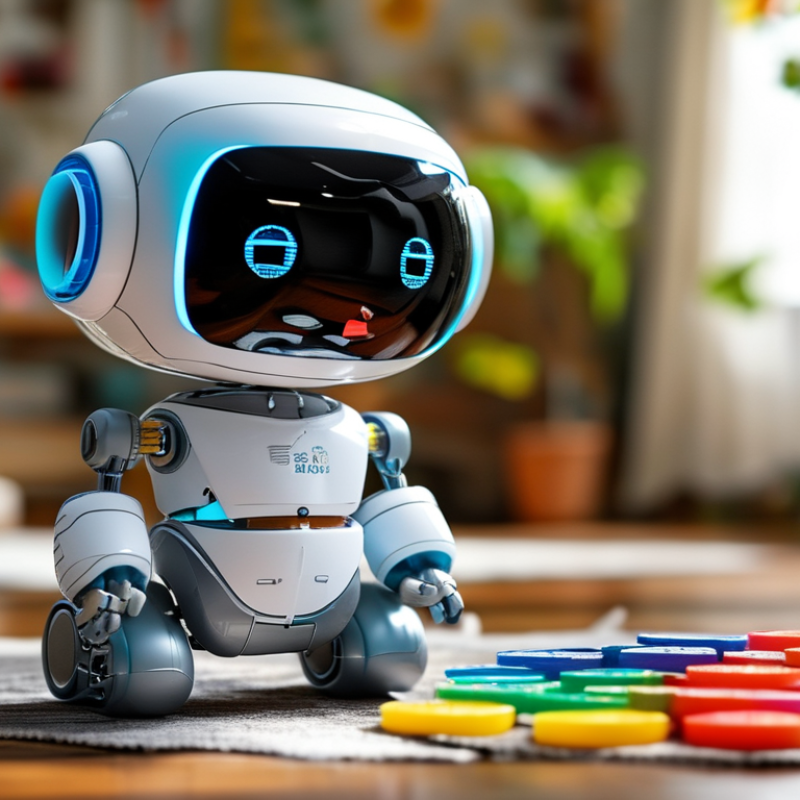
Artificial intelligence means teaching computers to notice patterns and make useful choices. It does not mean a robot has feelings, wishes, or human thoughts. A child can test this idea with a simple robot toy. Place a red block near it, then place a blue block. The robot may react differently after sensing color, distance, or sound. Its sensors collect information. Its program follows rules or learned patterns. The robot then produces an action, such as turning, stopping, or speaking. This makes an invisible process visible on the living-room floor.
I have found that children understand AI better through mistakes than perfect demonstrations. If the robot bumps into a wall, pause before fixing it. Ask why its information was incomplete. Explain that AI can be helpful and still be wrong. I sometimes describe training as “practice,” but that comparison is imperfect. Robots do not learn exactly like children. That difference matters. A calm, honest explanation builds trust while leaving room for better questions.
A useful AI robot toy should make invisible technology visible. For a seven-year-old, moving lights and sounds are not enough. The robot should show how sensors notice objects, how software finds patterns, and why answers can be wrong. Simple sensors are helpful. A small camera, touch sensor, or distance detector can create clear cause-and-effect moments. A child presses a button, and the robot reacts. That moment matters.
Look for voice interaction with strong volume controls and child-friendly language. The robot should explain when it does not understand. Honest mistakes teach more than perfect replies. It should allow children to change commands, test predictions, and compare results. Open-ended activities are better than endless button pressing. Building a route, sorting shapes, or teaching a dance gives AI a physical context.
Privacy features deserve equal attention. Choose toys with visible recording indicators, parental controls, and clear data settings. Offline play is valuable, especially when internet access is unnecessary. Updates should be explained in plain language. Durable parts and safe, rounded materials also matter because seven-year-olds learn through hands-on use. I would avoid toys that imitate human emotions too convincingly. Children may trust them too quickly. No robot explains AI perfectly. Parents still need to ask questions, correct confusing answers, and admit uncertainty when the toy behaves strangely.
How to read this chart: The practical priority score uses a 1–5 scale, where 5 means the feature is especially valuable for introducing AI concepts to a seven-year-old. The criteria emphasize hands-on learning, clear feedback, age-appropriate control, and responsible technology use.
Top 2026 Robot Toys for Learning AI Concepts Through Play
A good robot toy makes artificial intelligence visible, not mysterious. For a seven-year-old, the strongest choices use movement, sound, lights, and simple decisions. A child might program a robot to follow a taped path, avoid a cup, or sort red and blue blocks. These activities introduce sensors, rules, data, and feedback without demanding advanced reading skills.
Look for toys with block-based coding, adjustable difficulty, and clear cause-and-effect responses. A robot that changes behavior after repeated trials can demonstrate learning in a simple way. Ask, “What did the robot notice?” and “What should we change?” These questions connect play with observation and problem-solving. In my experience, children learn more when they predict an action before pressing the start button. Small mistakes help.
Not every smart-looking robot teaches AI well. Some only repeat fixed commands, although they may still support sequencing skills. Parents should check privacy settings, offline play options, and age guidance before buying. Avoid toys that promise human-like intelligence without explaining their limits. A robot does not understand feelings or intentions. It follows programmed instructions and responds to selected inputs. That distinction matters. I sometimes expect children to grasp the concept immediately, but they often need several short sessions. Patience works better than extra features.
| Rank | Robot Toy Type | Best AI Concept | How a 7-Year-Old Learns | Main Inputs | Coding Method | Adult Support | Learning Value | |
|---|---|---|---|---|---|---|---|---|
| 1 | Screen-Free Coding Robot | Algorithms and sequencing | Places command cards or uses buttons to plan a route through a grid or maze. | Button presses, command cards, physical obstacles | Icon-based commands | Low | Excellent for showing that computers follow precise instructions. | |
| 2 | Sensor-Based Obstacle Robot | Sensing and decision rules | Tests how the robot changes direction when it detects a wall or object. | Distance sensors, touch sensors, light sensors | Pre-set behaviors or simple block coding | Low to medium | Makes the input-process-output cycle visible and interactive. | |
| 3 | Visual Recognition Robot | Classification and computer vision | Shows colored cards, symbols, or objects and observes how the robot groups or responds to them. | Camera or color sensor, printed markers | App-based blocks or guided activities | Medium | Introduces the idea that recognition depends on examples and visible patterns. | |
| 4 | Voice-Interactive Robot | Speech recognition and limitations | Gives spoken commands, compares successful and failed responses, and discusses unclear speech. | Microphone, spoken words, sound level | Voice commands and guided programming | Medium to high | Helps explain why AI can misunderstand accents, noise, or unfamiliar words. | |
| 5 | Emotion-Expression Robot | Human-computer interaction | Explores how lights, sounds, movement, and programmed responses can imitate emotion without actually feeling it. | Buttons, sound, movement, optional voice input | Preset behaviors or visual blocks | Medium | Supports an important distinction between simulated behavior and real feelings. | |
| 6 | Storytelling and Question Robot | Generative AI awareness and verification | Asks questions, compares answers with books or adults, and identifies responses that may need checking. | Microphone, speaker, optional internet connection | Conversation prompts or visual controls | High | Best for teaching that fluent answers are not automatically correct. | |
| 7 | Modular Build-and-Code Robot | Systems thinking and debugging | Builds a simple machine, changes one part, tests the result, and fixes unexpected behavior. | Motors, sensors, switches, interchangeable parts | Block coding or direct controls | Medium to high | Connects physical design, programming, testing, and iterative improvement. | |
| 8 | Robot Coding Game Kit | Logic, loops, and conditional thinking | Completes missions using repeat commands and “if this, then that” challenges. | Game board, movement controls, task cards | Visual blocks or command tiles | Low | Turns abstract programming structures into short, repeatable games. |
Selection note: The ranking emphasizes age-appropriate interaction, clear cause-and-effect feedback, hands-on play, and opportunities to discuss how AI systems use inputs, rules, patterns, and training examples. Internet-connected or voice-enabled toys should be used with adult supervision and privacy settings reviewed.
A useful robot toy makes coding visible. Children can drag commands, then watch a small machine move, turn, or stop. This creates a clear link between action and logic. A 2025 World Economic Forum report found that 86% of employers expect AI and information-processing technologies to transform business by 2030. Early play should not imitate advanced AI. It should build simple habits: test, observe, adjust, and explain.
Robots with distance sensors make decision-making tangible. Place a cup ahead, and the robot must choose whether to turn or wait. Light sensors can trigger movement near a window. Touch sensors can detect a hand or wall. These moments teach input, rule, and output without abstract vocabulary.
Block coding supports confidence, while optional text coding shows how instructions become precise. I have found that children often celebrate movement before understanding it. That is fine. The explanation can come later. Sometimes the robot behaves unpredictably, and that honest failure matters.
Tips: Ask, “What did the sensor notice?” Let the child predict before pressing Run. Change one variable at a time. Keep projects under fifteen minutes. The OECD’s digital education research emphasizes active, guided learning over passive screen use. PwC’s 2024 AI Jobs Barometer also reported a 25% wage premium for workers with AI skills, but a toy should not become a career test. Leave room for silly experiments, wrong guesses, and quiet reflection.
Choosing an AI robot toy for a seven-year-old should begin with skills, not flashy features. At this age, children often enjoy short challenges, visible movement, and immediate feedback. A suitable robot might follow simple voice commands, recognize basic objects, or move through a taped maze. These activities make abstract ideas tangible.
Look for adjustable difficulty. A beginner needs large buttons, clear instructions, and a quiet learning mode. A more confident child may enjoy block-based coding, sensor experiments, or changing the robot’s behavior. The toy should explain mistakes gently, rather than simply announcing failure. I have seen children lose interest when setup takes longer than the activity. That matters.
Check the robot’s conversation limits, data settings, and offline options before buying. A child should know that the robot predicts responses; it does not think like a person. Parents can ask, “Why did it choose that answer?” and test the result together. Reliable documentation and transparent safety controls are more important than a human-like voice. Battery life also matters during real play. Ten minutes of charging can interrupt a good experiment.
I once underestimated how much reading ability affected a coding task. A seven-year-old understood the logic but struggled with dense instructions. That mistake changed my selection criteria. Choose a toy that matches the child’s patience, language skills, motor control, and curiosity. Leave room for imperfect attempts. That's where learning starts.
: AI helps computers notice patterns and make useful choices. It does not give robots human feelings or wishes.
A robot turns invisible decisions into visible actions. It may sense a red block, then turn or stop.
Ask what the robot noticed. Let the child predict its next move before pressing Run.
Distance sensors detect cups or walls. Light sensors react near windows. Touch sensors notice hands or obstacles.
Children arrange commands, then watch the robot move, turn, or wait. This links instructions with results.
Pause before fixing it. Ask whether the robot received incomplete information.Mistakes help.
Not really. Children learn differently from computer systems. The comparison helps, but it has limits.
Keep activities under fifteen minutes. Change one object at a time, such as moving only the cup.
Watch children around small parts and batteries. Choose toys that explain their limits and avoid unnecessary personal data collection.
This guide explores how to explain AI to a seven-year-old through playful, hands-on robot activities. The central question, “How to explain AI to a 7 year old using robots?”, can be answered by showing that AI helps machines notice information, learn from examples, and choose actions. Children can explore these ideas with friendly programmable robots that respond to sounds, light, touch, movement, or simple spoken commands.
The article highlights important features such as safe materials, age-appropriate controls, visual coding, adjustable difficulty, and clear feedback. It presents several types of top robot toys for 2026 without focusing on brands, including drawing robots, sensor-based explorers, coding companions, and robots that follow routines or solve basic challenges. Each activity demonstrates coding, sensors, patterns, and decision-making in an enjoyable way. Finally, parents and teachers can select a robot according to a child’s age, patience, confidence, interests, and previous experience, helping learning remain creative, understandable, and fun.
